SSV Subgraph
The Graph is a decentralized indexing protocol for Ethereum and other EVM-compatible blockchains. It processes smart contract data and makes it easier to query efficiently.
You can use it to query SSV Network data and build applications on top of the protocol.
Before diving into subgraph queries, get familiar with GraphQL basics: Learn GraphQL
The SSV subgraph indexes events emitted by the SSV smart contracts. Its source code is open source and available in the ssv-subgraph repository.
Examples
We prepared a set of example queries, and the one you need may already be available. See the Subgraph Examples page for common query patterns and accessible data.
Querying SSV Protocol smart contract data
Currently, there are two official Subgraphs deployed:
There are a few ways to access SSV smart contract data through The Graph. Below, you can see how to use either The Graph interface or the Query API.
Subgraph Playground user interface
You can open the subgraph page in Graph Explorer and use the Playground to experiment with and prototype queries.
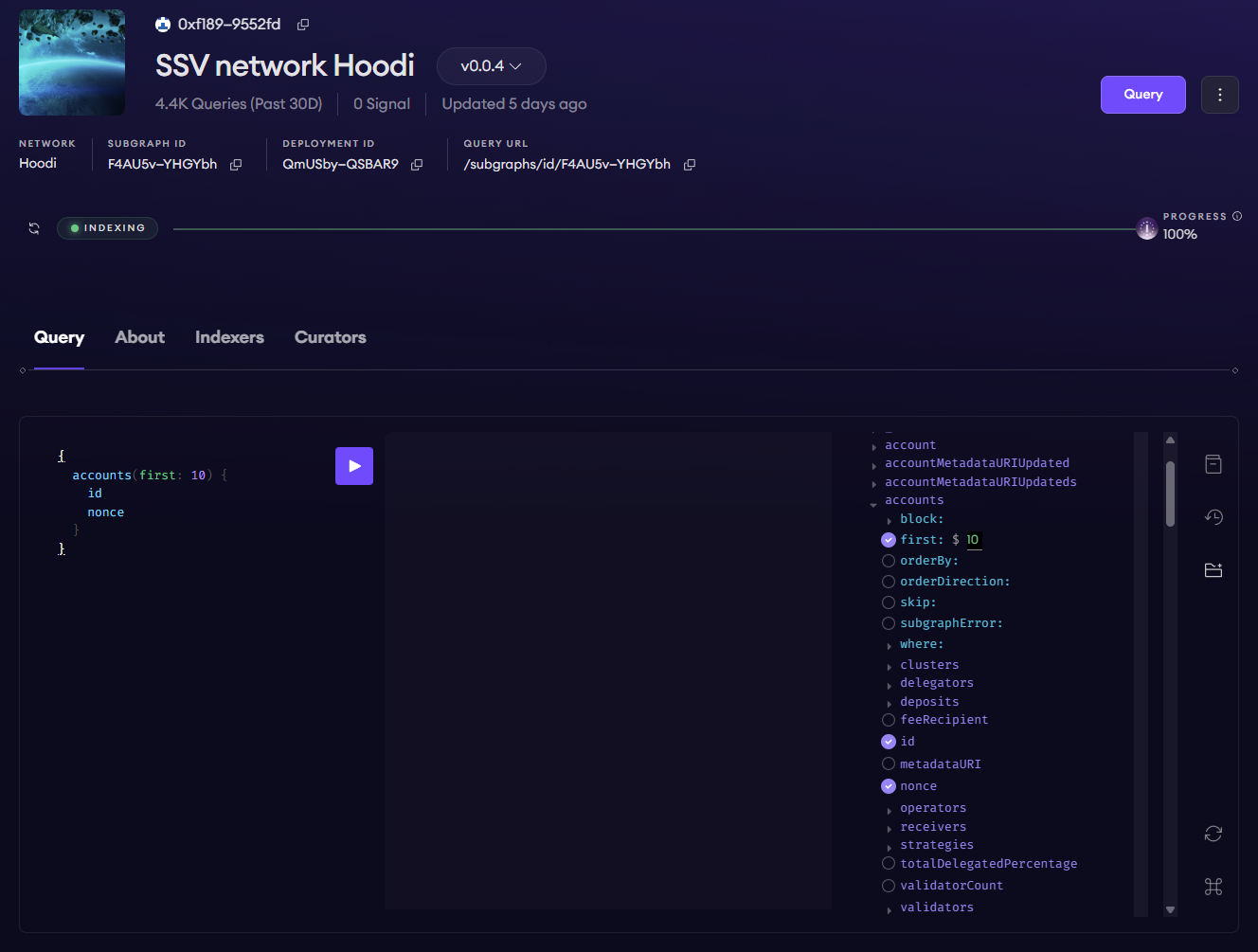
You can access the underlying GraphQL schema by clicking the folder icon on the right side of the Playground. Like Swagger for REST APIs, it is self-documenting, but it also lets you build queries through simple point-and-click interactions.
When your query is ready, click the Play button in the center to run it and view the result.
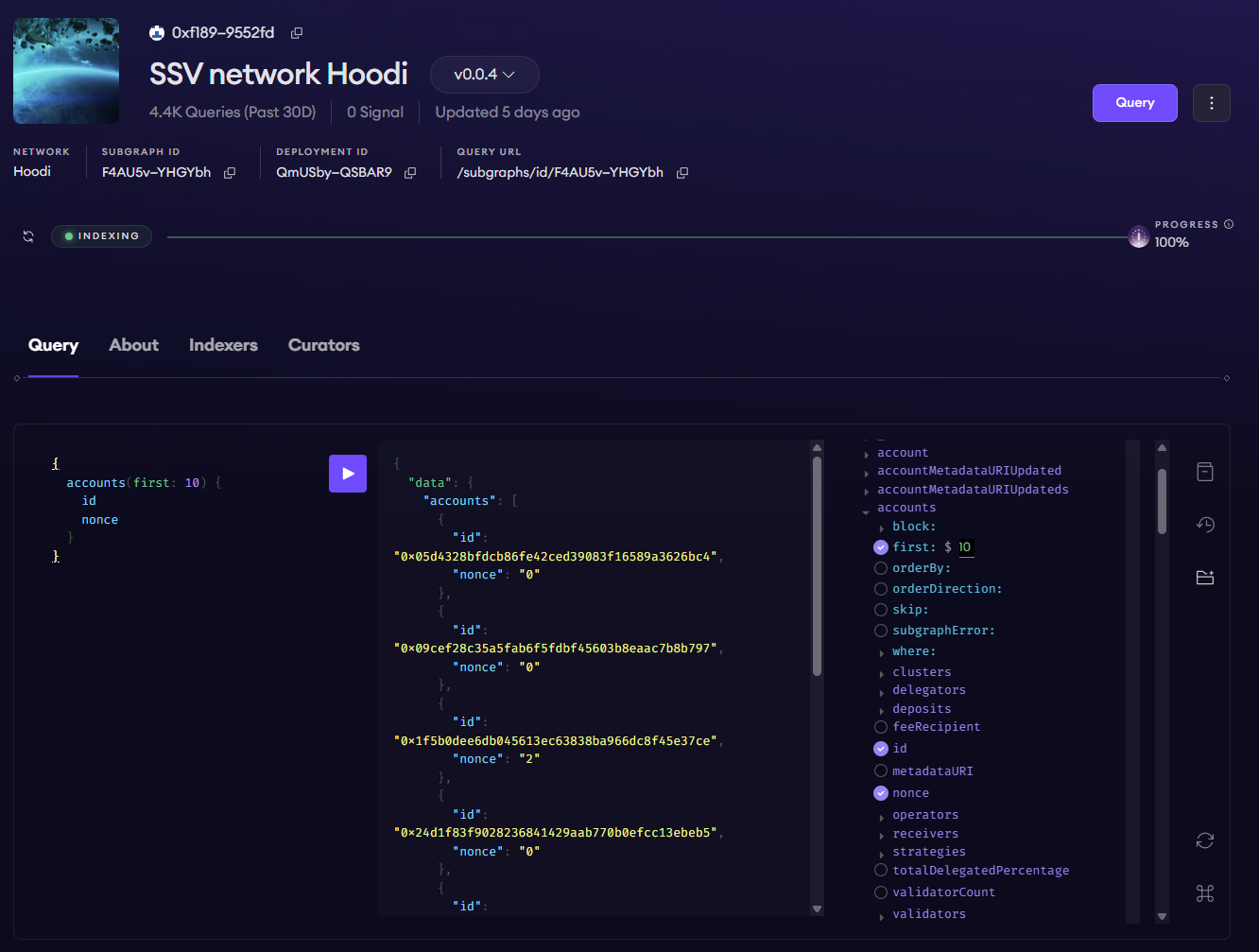
For more schema documentation, click the book icon on the right side of the Playground.
Query API
The screenshot below shows the lower section of the Query page.
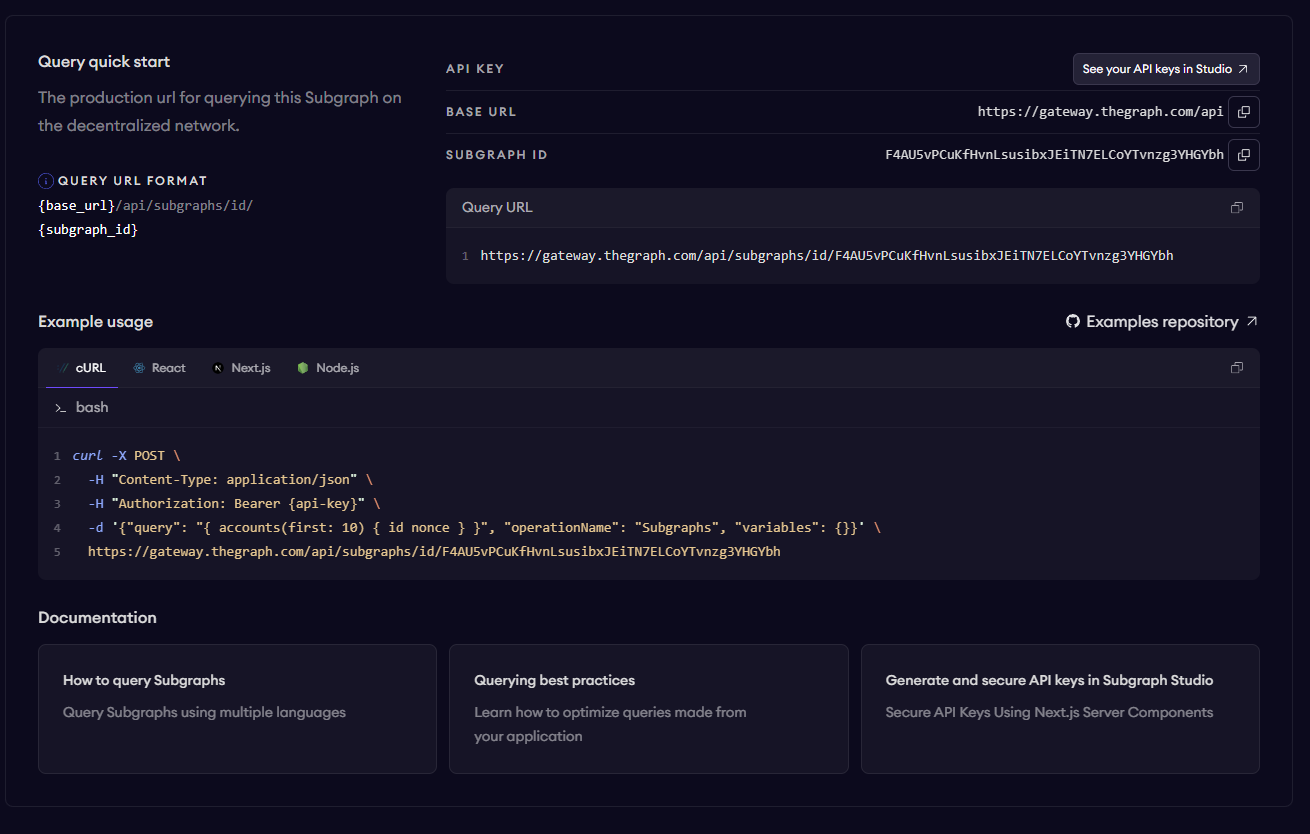
It includes instructions for querying the subgraph programmatically through the public endpoint with an API key. You can generate your own API key from the Subgraph Studio page by selecting API Keys at the top. The free plan allows 100,000 queries per month, which is usually enough for development.
To query the endpoint programmatically, prepare the exact GraphQL query you want to run, then send it in a POST request to the provided endpoint with your API key in the request headers.