Stake SSV
Stake SSV to receive cSSV, start earning rewards, and automatically delegate the voting power tied to your staked weight to the SSV Network oracle system.
Prerequisites
- SSV tokens in your wallet
- A compatible Web3 wallet or wallet connection method (for example, MetaMask or WalletConnect)
- Sufficient ETH for gas fees
- Access to the SSV Network Web App
Staking Process
1. Connect Your Wallet
Open the SSV Network Web App, select Connect Wallet, and approve the connection.

2. Navigate to Staking
Open the Stake section to begin staking.
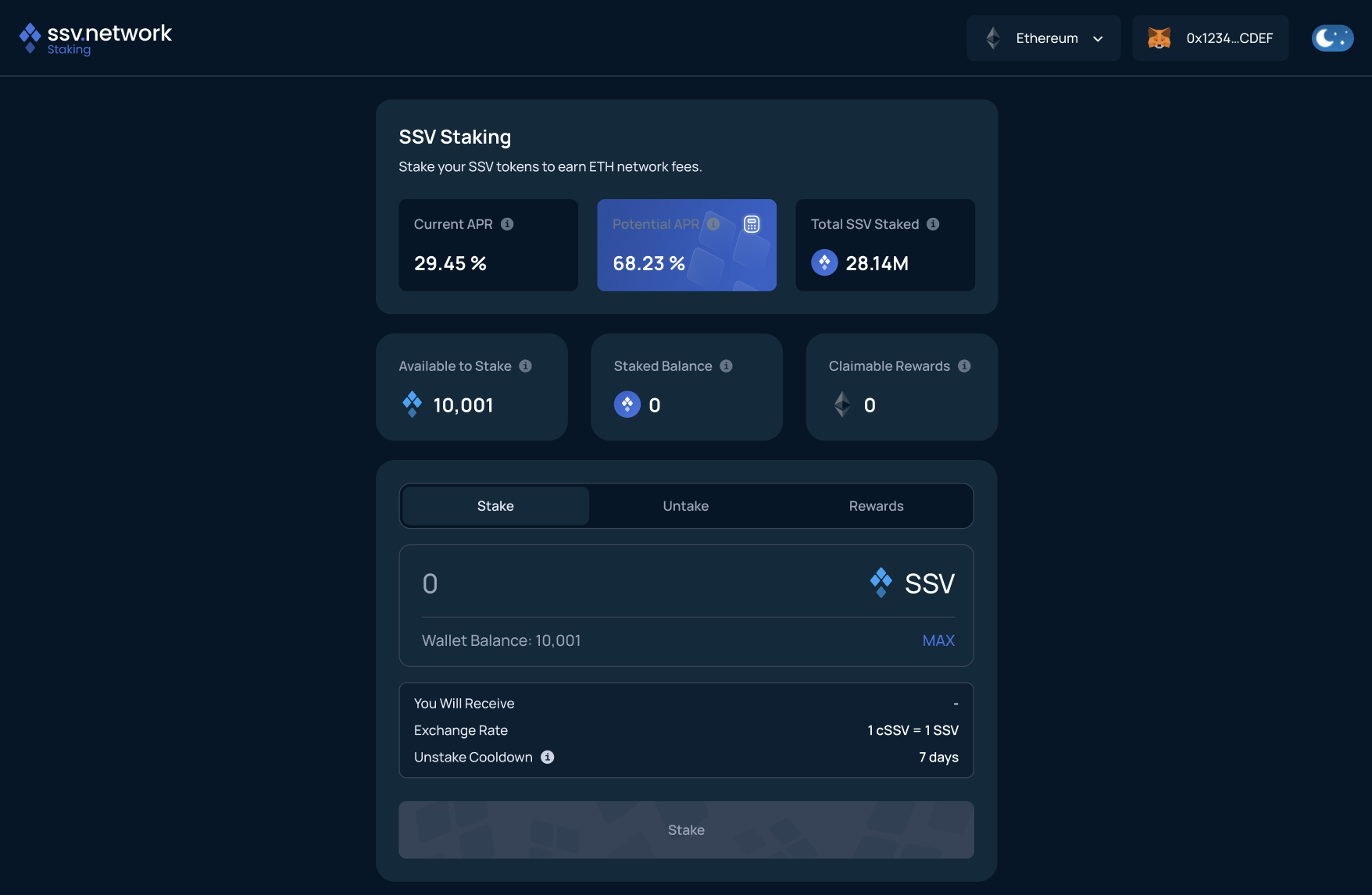
3. Enter Staking Amount
Select Stake SSV, enter the amount stake, and review the details.
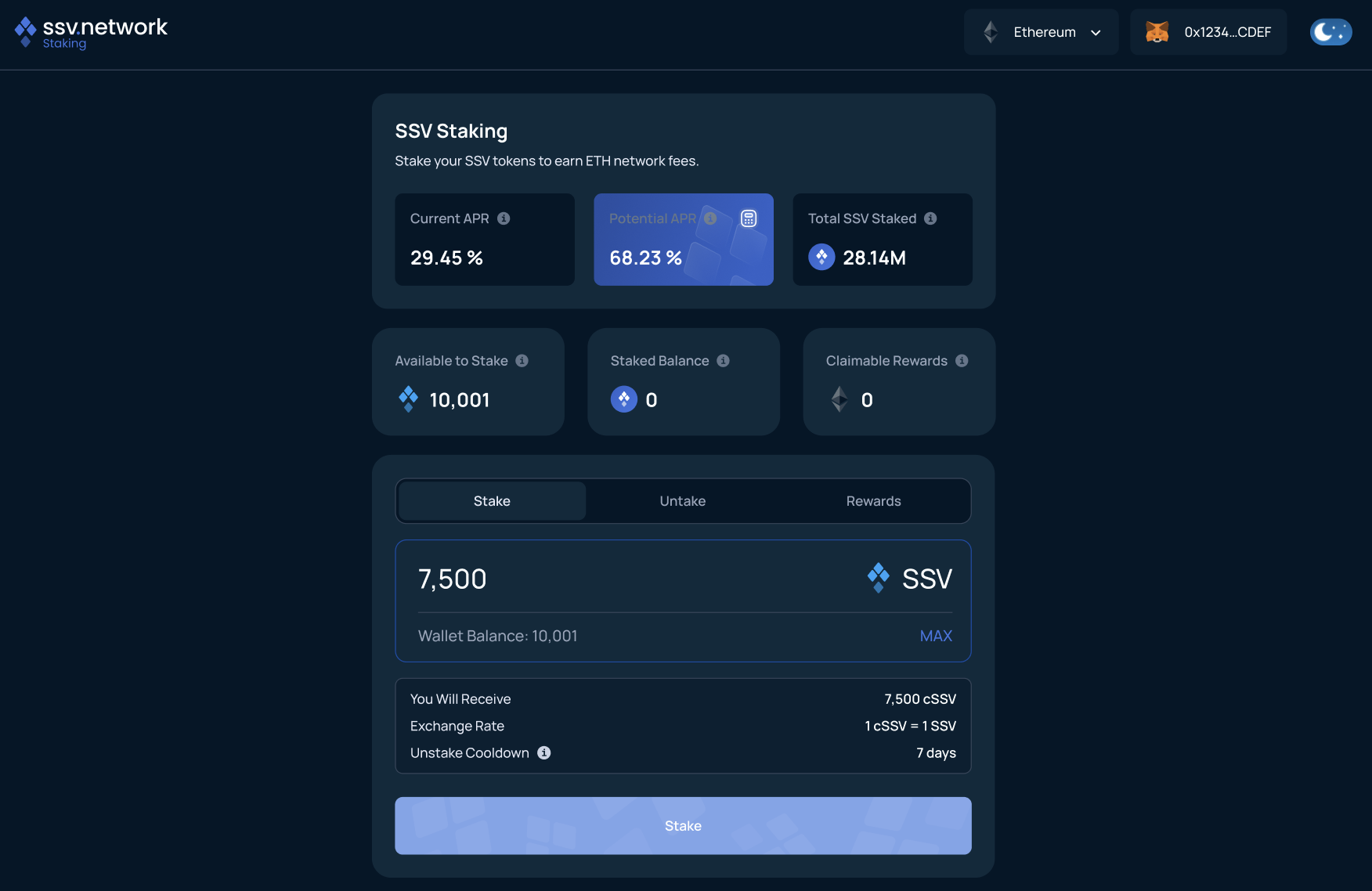
4. Approve SSV Token (First Time Only)
If this is your first time staking, approve the staking contract to access your SSV tokens. Select Approve SSV and confirm the transaction in your wallet. You only need to do this once per wallet.
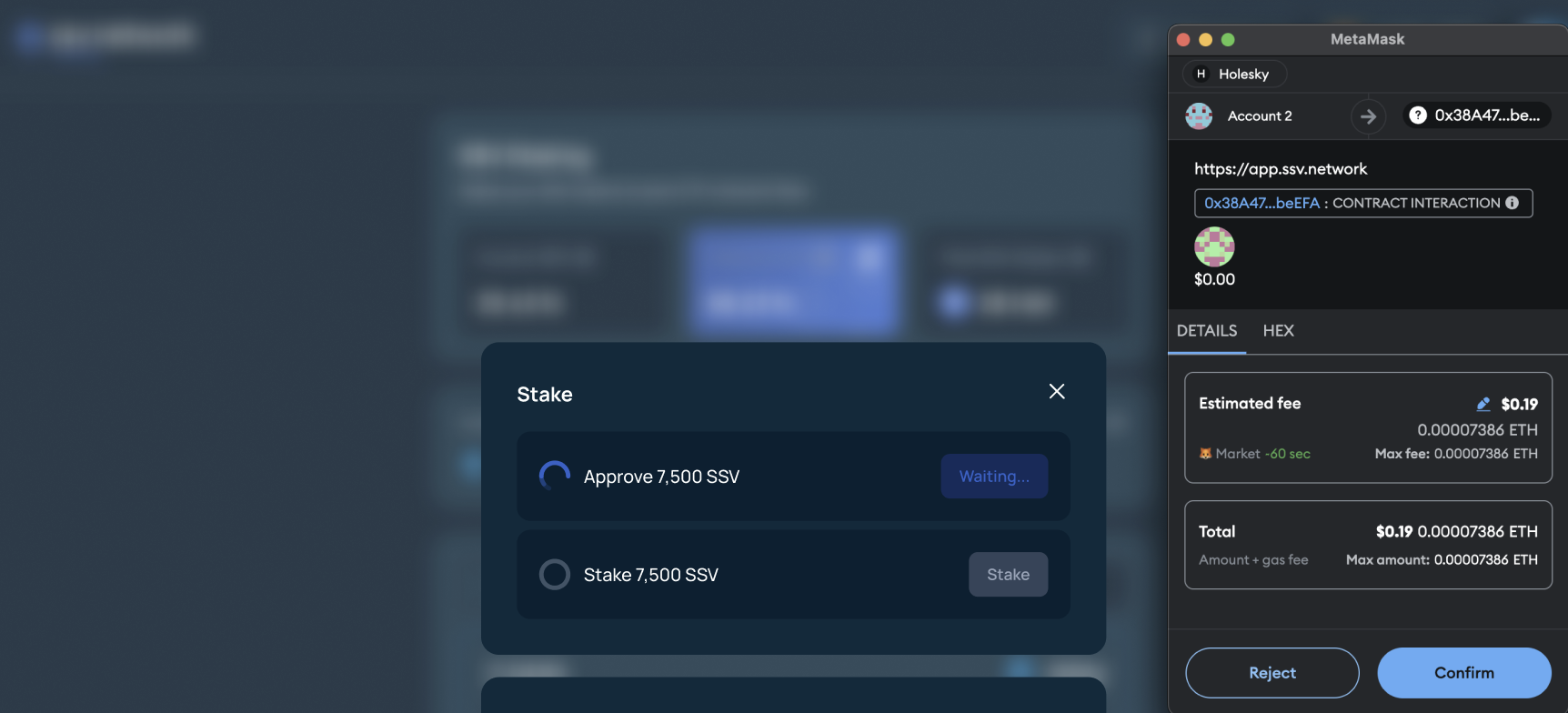
5. Confirm Staking Transaction
Select Stake, review the transaction in your wallet, and confirm it. Wait for the transaction to be confirmed onchain in the Web App.
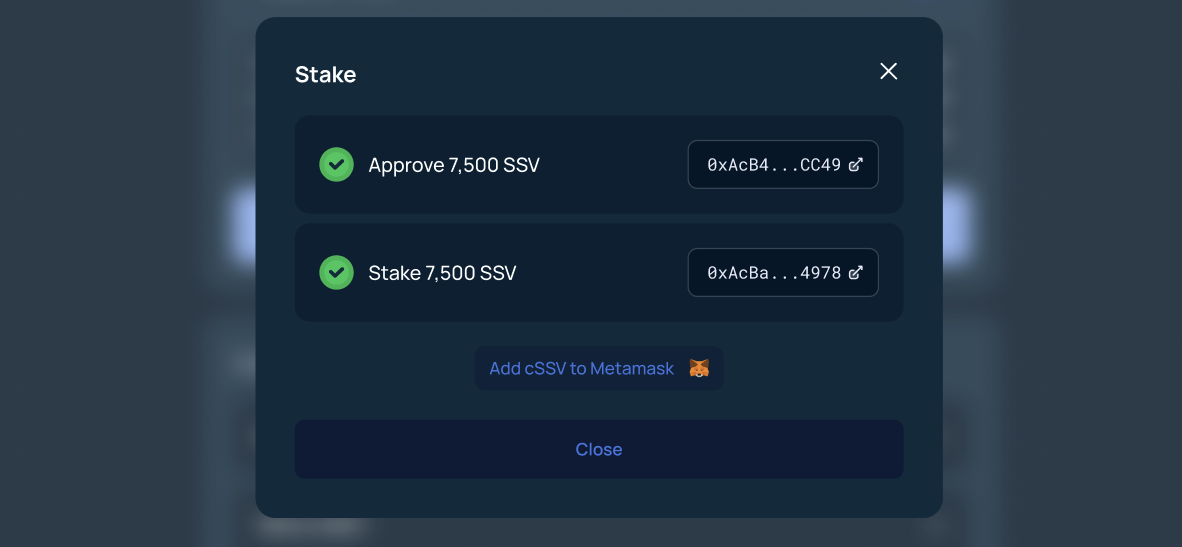
6. Receive cSSV
After confirmation, you receive cSSV in your wallet and rewards start accruing immediately. The updated staking position appears in the dashboard under Staked Balance.

Learn More
- SSV Staking Overview - Full staking mechanism
- Claim Rewards - How to claim rewards
- Unstake SSV - Unstaking process
- Glossary - Key terms and definitions