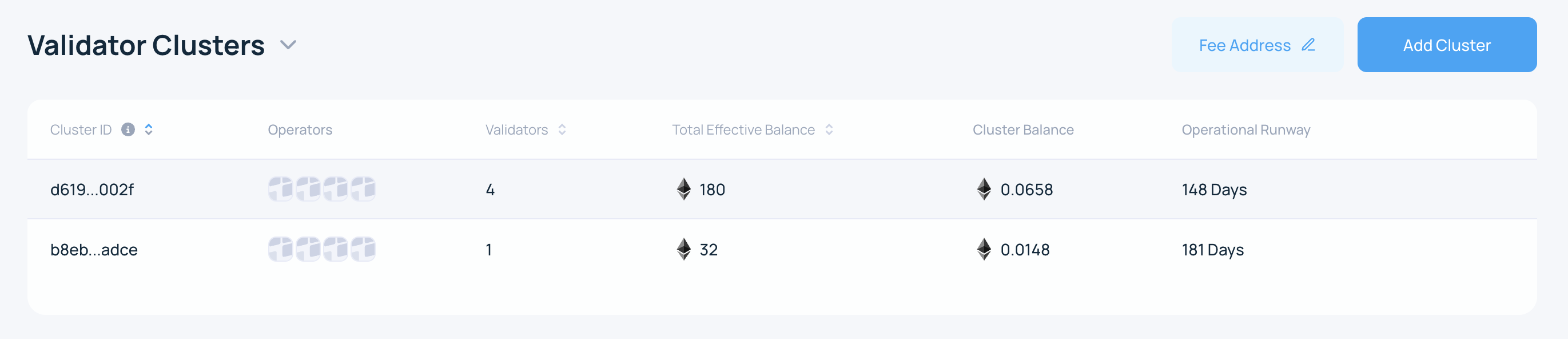
Reactivate a Cluster
1. Connect your wallet
Connect the Web3 wallet that owns the cluster in the Web App.
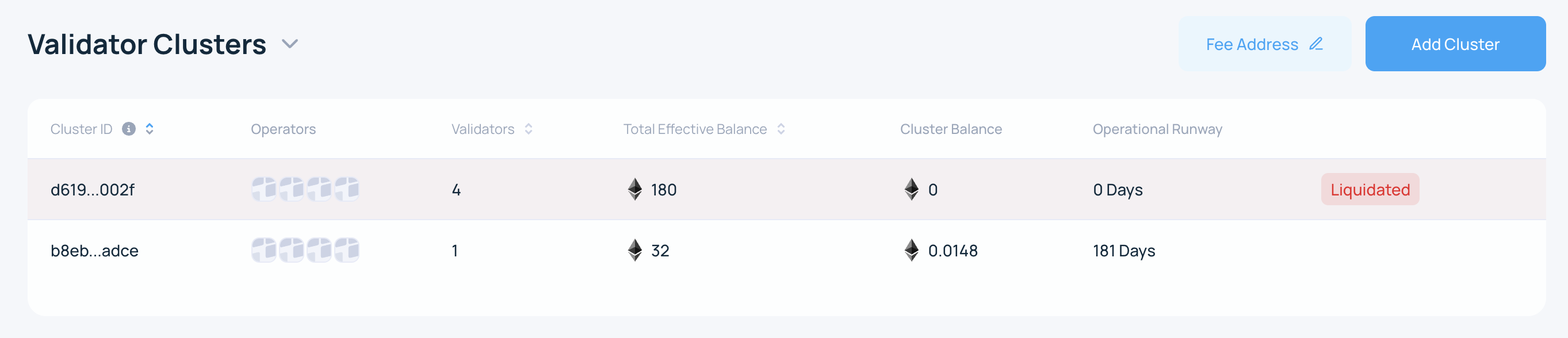
2. Open the liquidated cluster
On the My Account page, select the liquidated cluster you want to reactivate.
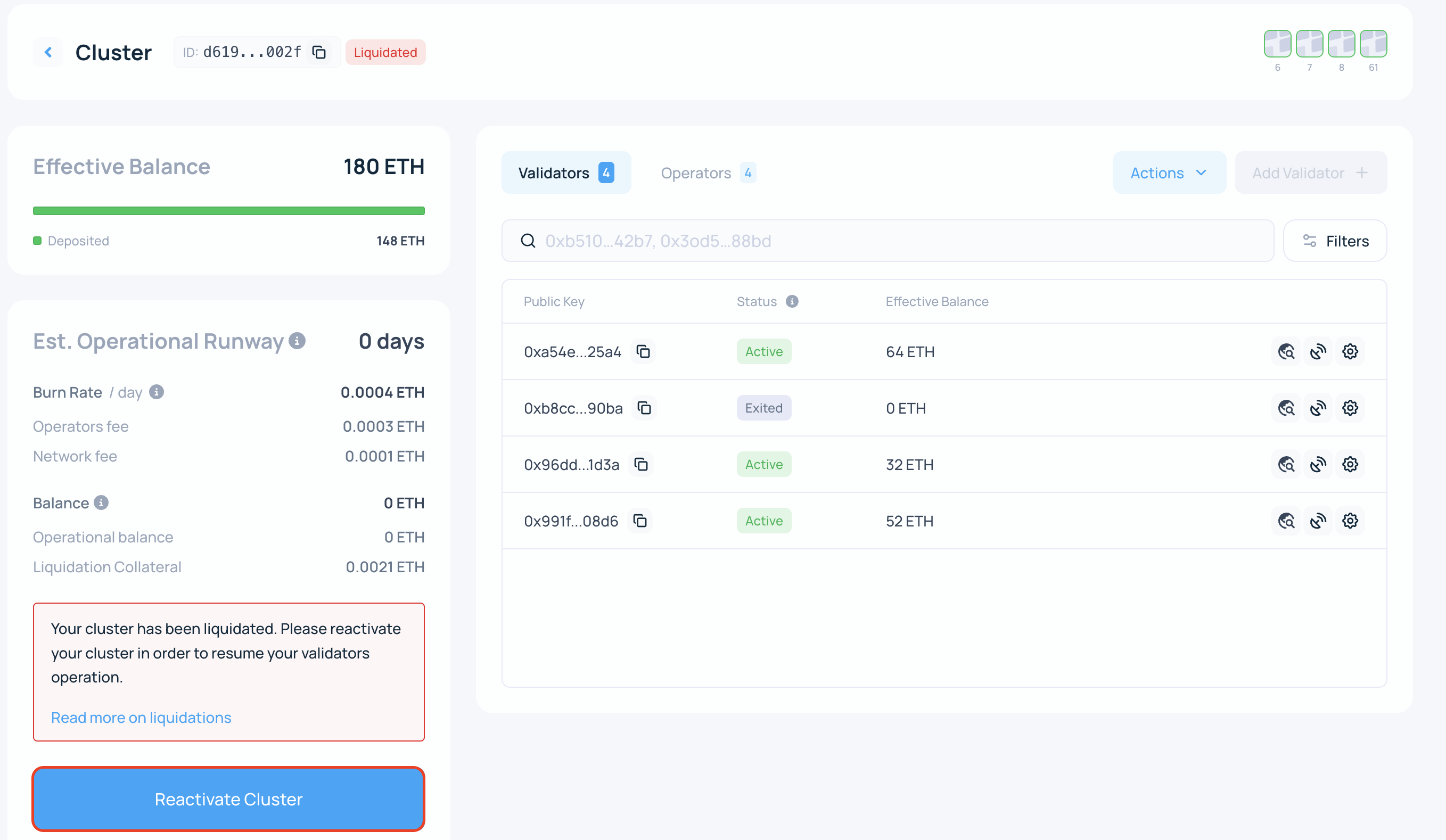
3. Click Reactivate Cluster
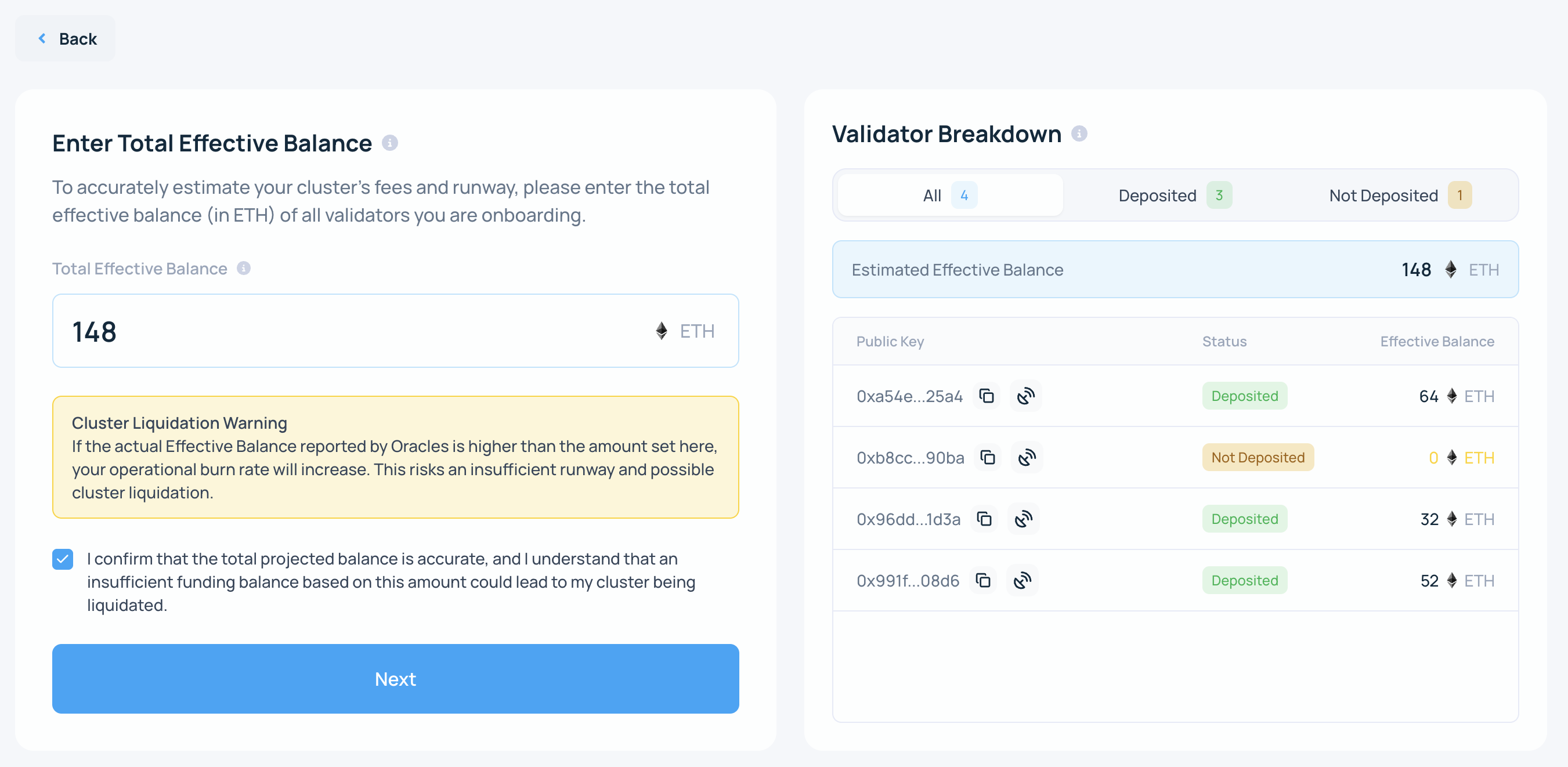
4. Enter the effective balance
If the actual effective balance is lower than the value you enter here, the fee burn rate will be higher and may result in a liquidation of a cluster.
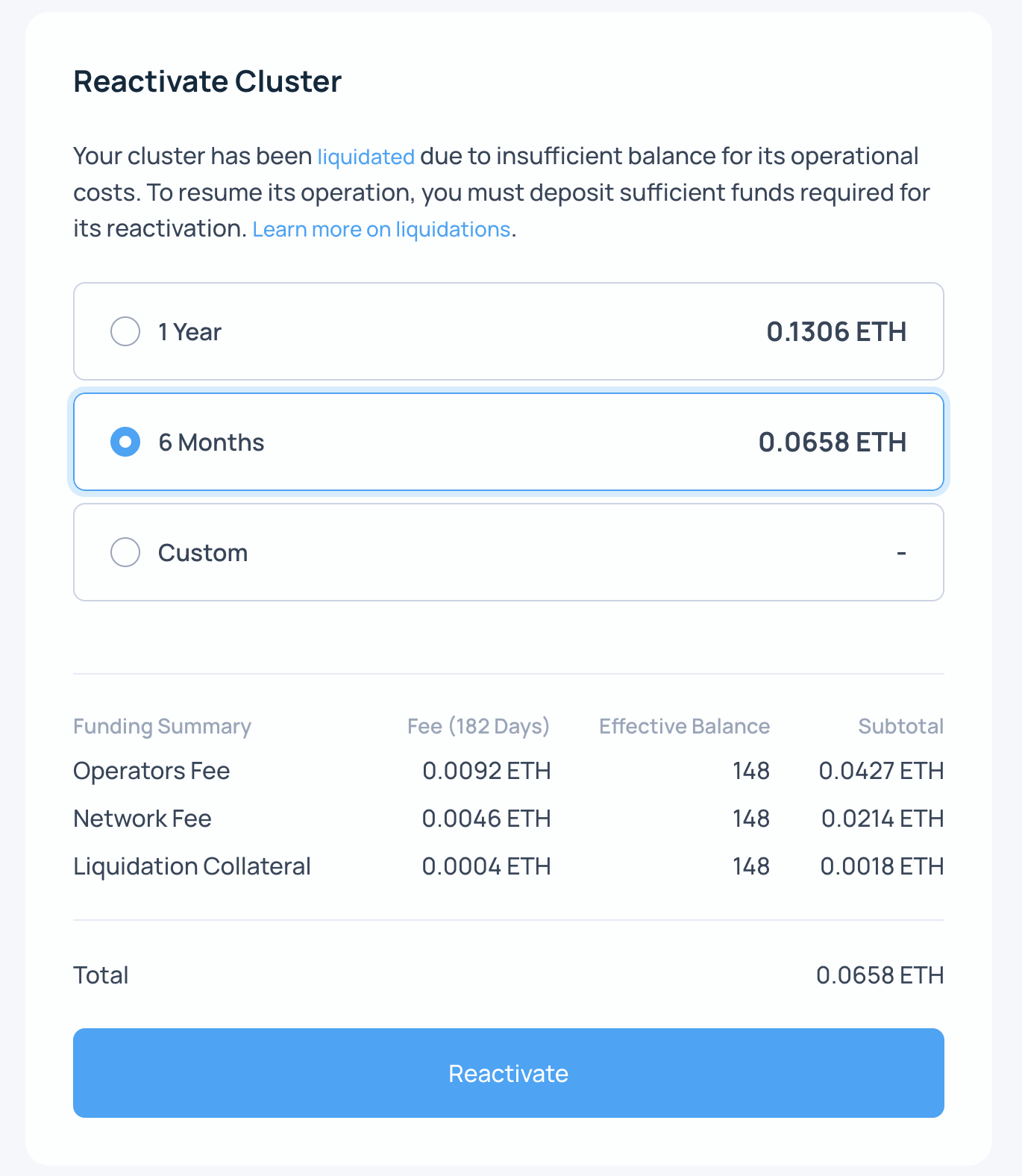
5. Choose the runway and Reactivate
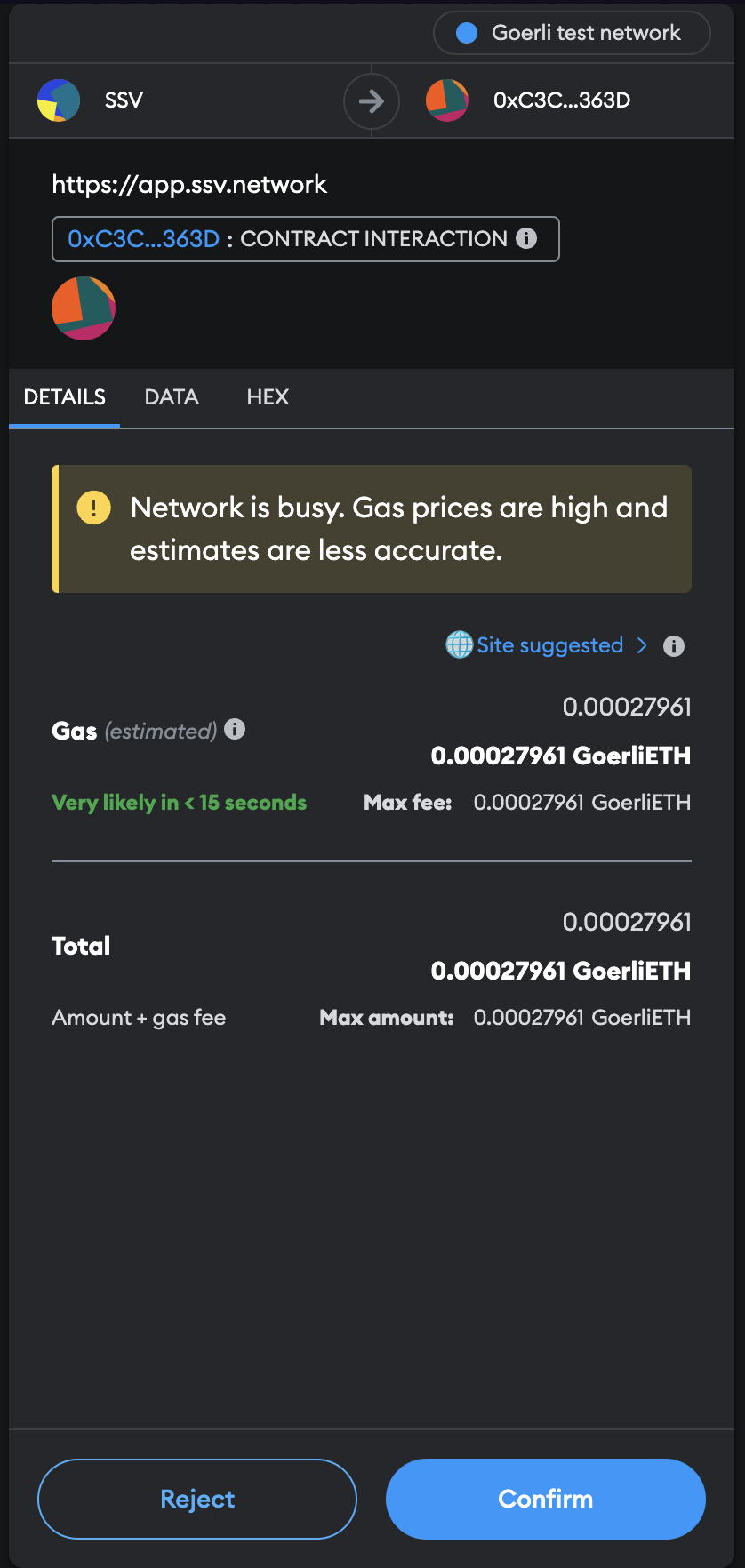
6. Sign the transaction
7. Confirm the result
After the transaction is confirmed, the cluster page will show the updated ETH balance.