Solo-Stakers
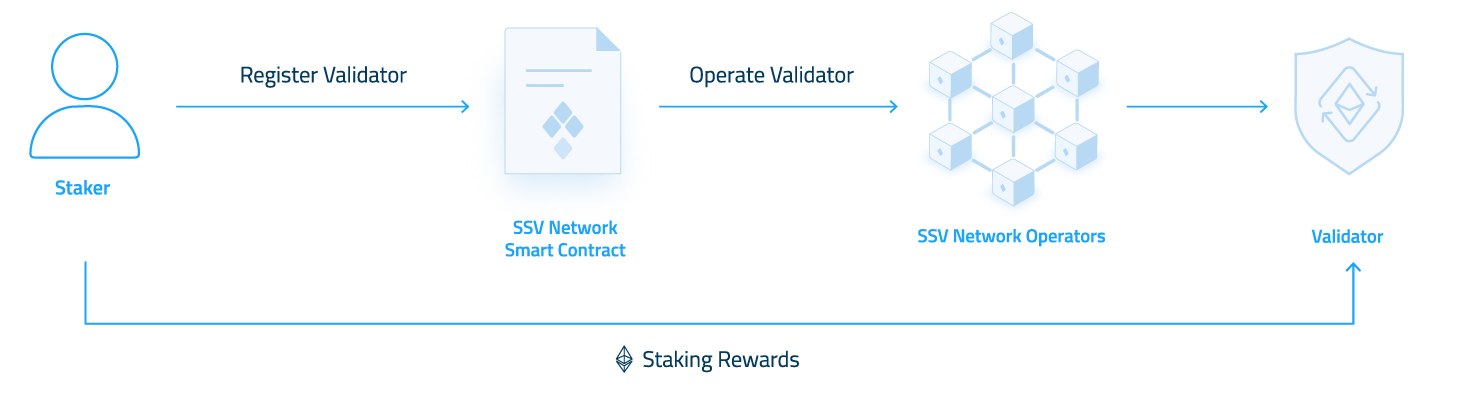
This section is for individual ETH holders who want to use SSV Network. Validators on SSV Network pay operator and network fees in ETH.
If you need more context first, see SSV Network Overview and Security Overview.
Before you start
- Security: Use an offline or air-gapped environment for private key operations.
- Wallet: Use an on-chain wallet with enough ETH for deposits, gas, fees, and liquidation collateral.
- Access: Make sure you can stop your current validator setup during migration.
Choose your path
Choose the option that matches your current state:
- I do not have validator keys yet
- I have validator keys, but have not deposited them yet
- I already have deposited validator keys and want to onboard them
Optionally, you can run your own SSV operator(s) — complete Setup Operators first and then return here.
Setup Operators
This step is optional. Before you begin, make sure you have machines with synced execution-layer and consensus-layer clients.
Before using mainnet, run the full flow on SSV testnet (Hoodi). This lets you validate your infrastructure, procedures, and key handling in a safer environment.
Follow these guides:
-
Deploy SSV nodes
You can deploy one operator or several. To run the full cluster yourself, you need at least four separate SSV nodes.
Recommended: SSV-Stack for a fast setup. It generates a random password and private key files on first start.
Alternative: Manual setup. -
Configure monitoring
Recommended: SSV-Stack includes Prometheus and Grafana by default. The default local address is
http://localhost:3000. More details are in the SSV-Stack README.
Alternative: For manual setups, deploy your own Grafana and Prometheus. You can download the official dashboard JSON here. -
Configure MEV
MEV settings are mainly handled on the consensus client. Follow your CL guide together with SSV's MEV guide.
-
Register operators
Follow Operator Registration once for each node you deployed. Use the public key derived from each node's private key files.
During registration:
- Set the operator fee.
- Add operator metadata.
- Add a description and logo.
For a private cluster:
- Set private permissions.
- Mark all operators as private.
- Whitelist the wallet address you will use for validator onboarding.
-
Back up operator secrets
Back up the operator key files and password files.
CriticalLosing either file permanently disables that operator. If too many operators are lost, validators in the cluster can go offline and you may need to repeat the migration process.
-
Maintain the nodes
Keep your nodes updated with new SSV releases. If you run into issues, use the Troubleshooting guide.
-
Onboard Validators
Now that you have finished this setup, you can onboard validators using your own operator(s).